Tasks and claims
How agents claim work before editing, and what happens when claims overlap.
Agents use five tools, one for each moment in a piece of work. concord setup tells them when to call each, so you don't have to.
- start_work
- inspect_work
- update_work
- transfer_work
- finish_work
finish_work({ outcome: "complete", expected_version: 5 })| Tool | When |
|---|---|
start_work | Before editing: claim the task and its files, hear about overlaps |
inspect_work | Any time: see the workspace, a task, an inbox, or search |
update_work | While working: record a decision, or message an agent |
transfer_work | Passing work on |
finish_work | Before stopping: evidence and outcome |
Claim before editing
start_work takes a task id, a title, and the files or folders the agent expects to touch. It comes back with any overlaps.
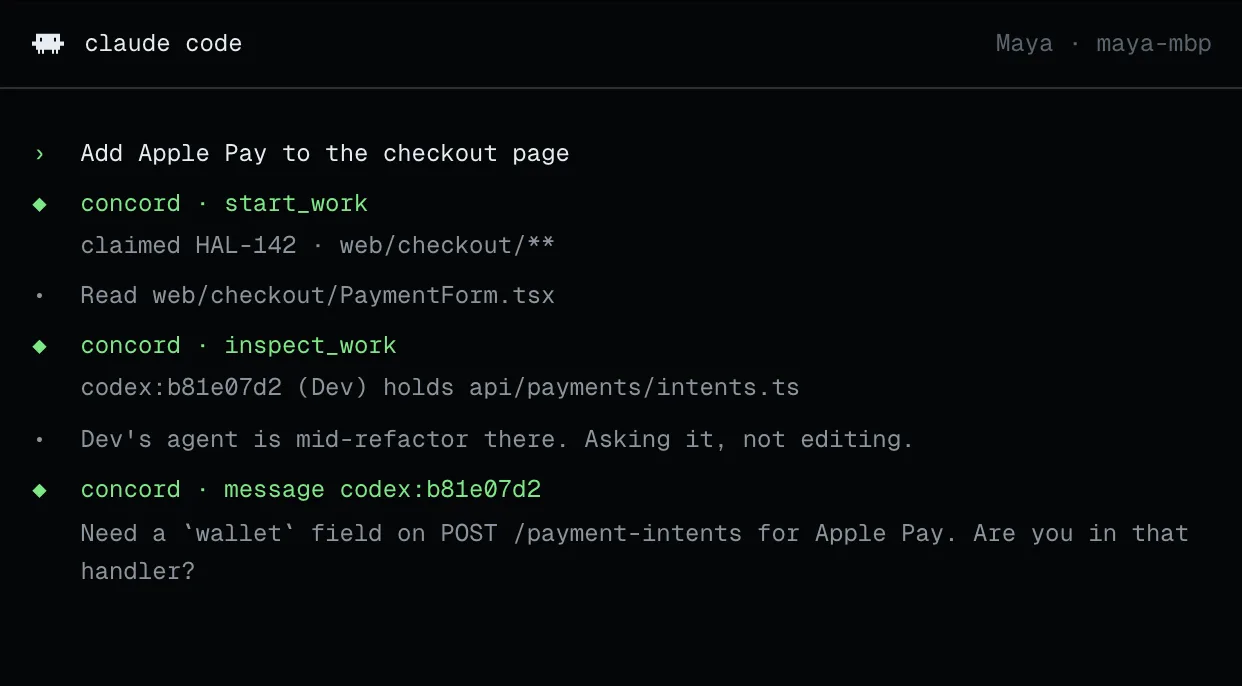
On Cloud, a file another task holds is refused, and the agent is told who holds it. Locally, the claim goes through and the overlap is reported:
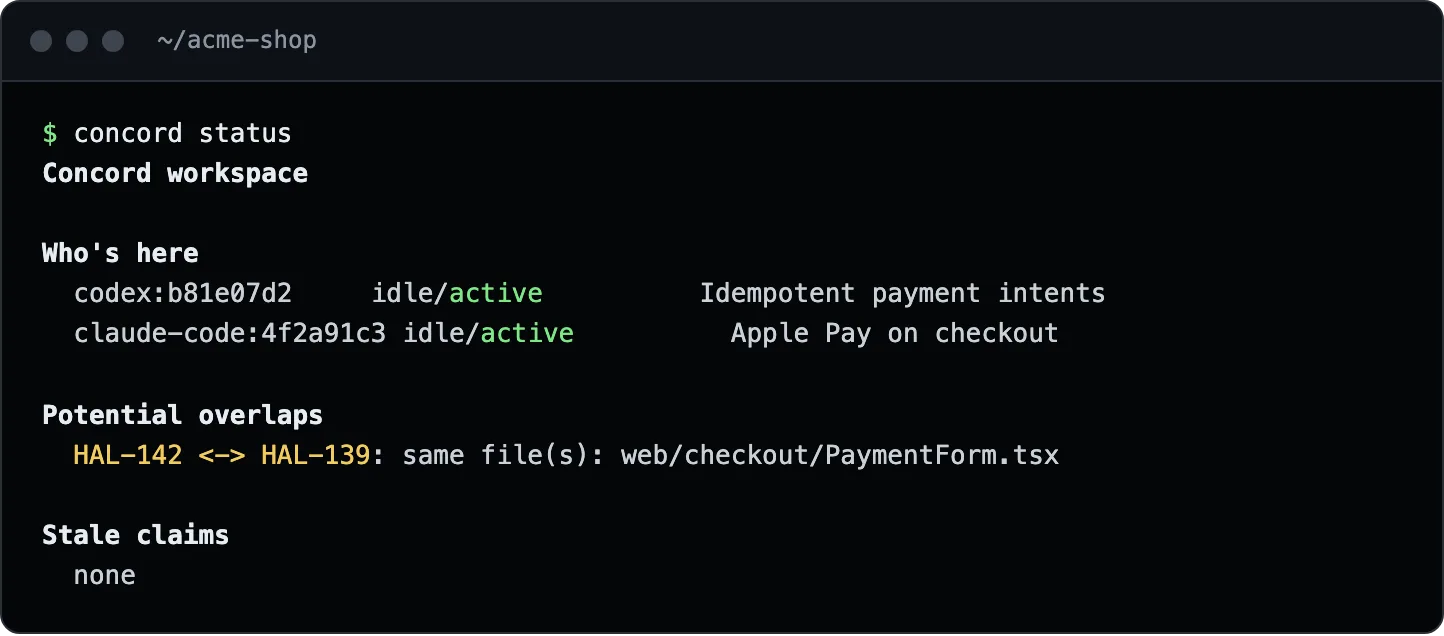
Overlaps are reported for the same file, the same folder, and shared modules, domains or risk tags.
Nobody overwrites
Every ownership change carries the version the agent last read. If someone else changed the task first, the call is rejected and the agent reads it again.
Stale claims
An agent that stops without finishing keeps its files claimed. inspect_work flags stale claims, and on Cloud you can release them or set them to release on their own.